stephane.bio
  • Invest
  • Build
  • Write
  • Think
Ketchup
๐Ÿ”†

vibemind.space

/tech-category
Future of workEdtechMartech
/type
Software
Type of Gigs
Side Projects
/read-time

12 min

/test
https://vibemind.space/
image
image
  • vibemind.space
  • Vision: @Syntheo
  • Market
  • Name?
  • Brainstorming
  • Go to Market
  • Landing Page - whatโ€™s wrong?
  • โœ… Quadropic.com โ€” Rewritten Homepage Copy & Structure
  • Dailies
  • โŒ The Problem
  • โœ… The Shift
  • ๐Ÿ”ฅ Core Features
  • ๐ŸŒŒ Taglines Weโ€™re Exploring
  • ๐Ÿงญ How It Works
  • ๐Ÿ›  Sneak Peek
  • ๐Ÿ”ฎ Designed for the Future
  • โ†’ Ready to reboot your mind's interface?
  • ๐Ÿง  Name Ideas
  • โŒ Problem
  • โœ… Solution
  • ๐Ÿงฌ Tagline Ideas
  • ๐Ÿ”ฅ Core Features
  • ๐ŸŒ Optional Differentiators
  • ๐Ÿงญ User Journey
  • Resources

vibemind.space

Vision: SyntheoSyntheo

Waitlist
image
โ€ฃ

Market

โ€ฃ

Name?

โ€ฃ

Brainstorming

โ€ฃ

Go to Market

โ€ฃ

Landing Page - whatโ€™s wrong?

โ€ฃ

โœ… Quadropic.com โ€” Rewritten Homepage Copy & Structure

Dailies

image

You are the interface.

A spatial, AI-native operating system.

No apps. Just thoughts, spaces, and flow.

โŒ The Problem

Operating systems are broken.

  • You work inside apps, not ideas.
  • Thought, time, action โ€” all siloed.
  • AI is bolted on, not built-in.
  • You click more than you create.

โœ… The Shift

Dailies adapts to you โ€” not the other way around.

  • Type. Speak. Move.
  • Dailies listens and builds in real time.

  • Youโ€™re not using tools.
  • You're shaping space.

๐Ÿ”ฅ Core Features

  • Canvas-First UX
  • No windows. Just infinite space.

    Zoom, organize, and live by your own logic.

  • Closed or open spaces (Personas)
  • Work, Travel, Health โ€” each has its own context, tools, and AI.

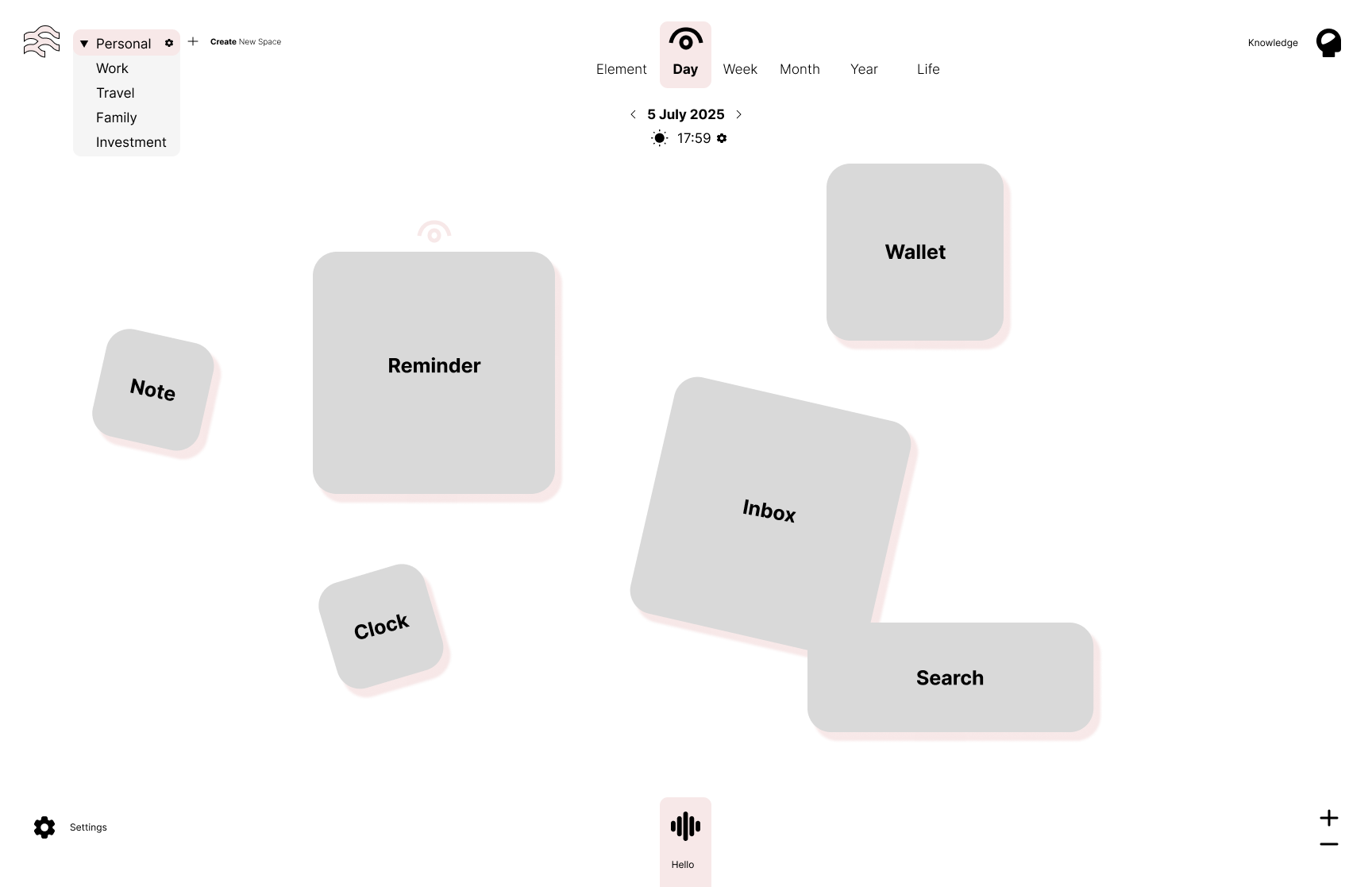
  • Modular and presets Elements
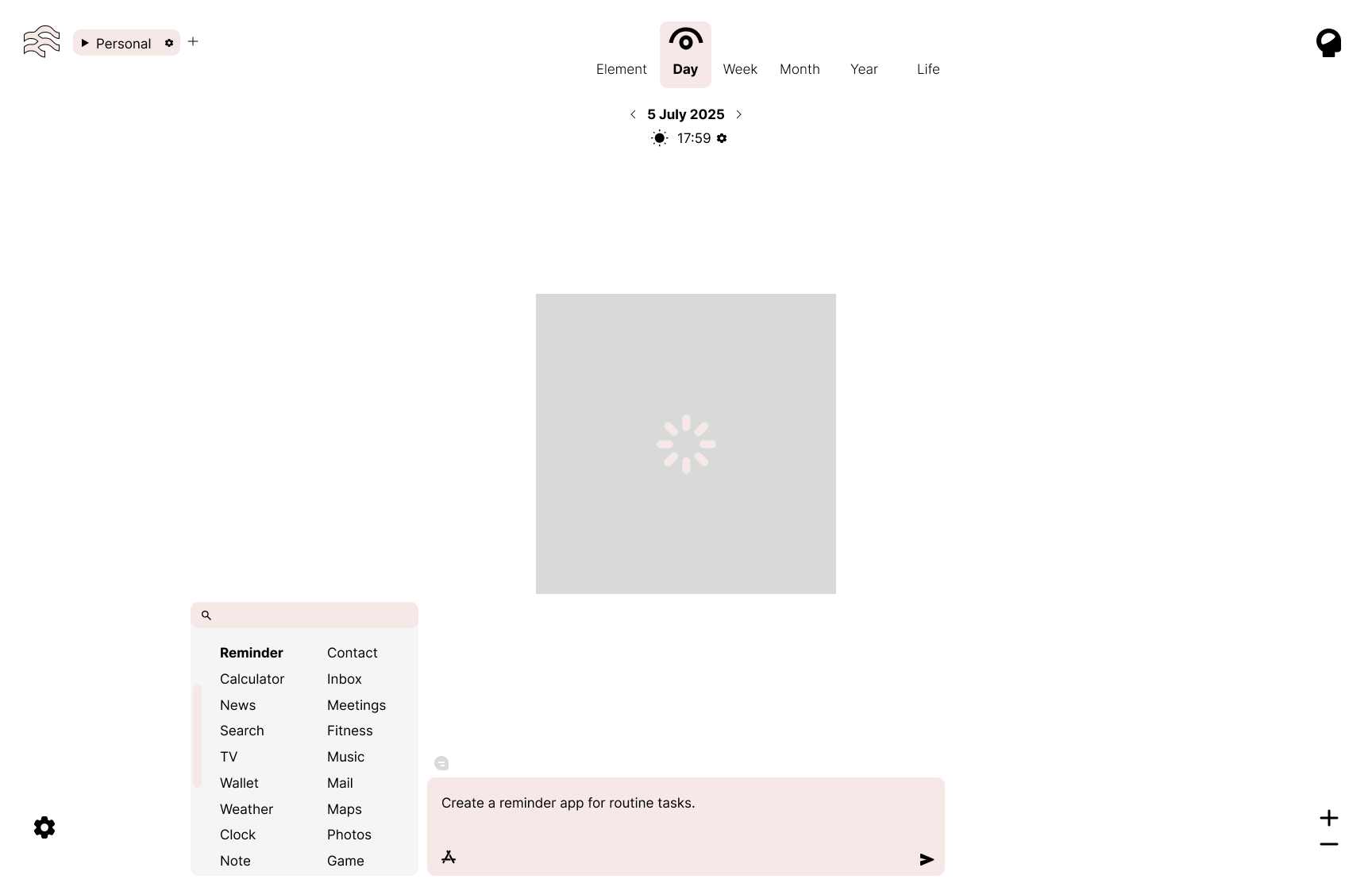
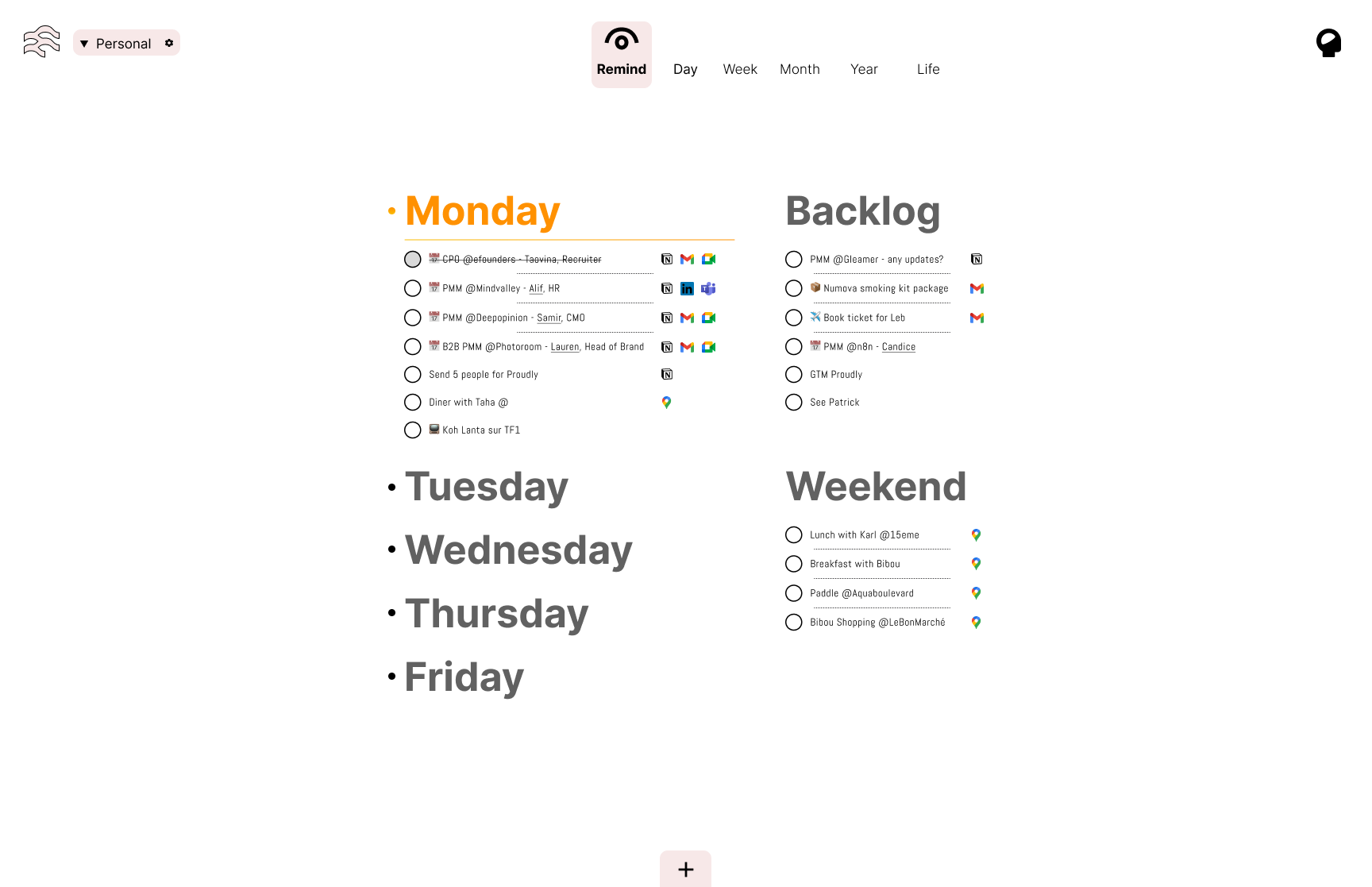
  • Add, merge, drag & drop Reminders, Notes, Wallets, Inboxes, and more.

  • Unified Input Bar
  • Text, voice, code โ€” one field to command them all.

  • Second brain baked-in
  • Everything connects: files, memory, time, chat. Auto-linked. Always recallable.

  • Autonomy Engine
  • Native AI observes, adapts, builds, prioritizes, evolves your OS with you.

  • Component Store, Not Apps
  • Share blueprints. Build your own tools. No bloat.

  • Radical Personalization
  • Themes, layouts, flows. Your OS = your mindโ€™s mirror.

๐ŸŒŒ Taglines Weโ€™re Exploring

โ€œBuild your own OS. Live your own way.โ€

โ€œControl everything. From one input.โ€

โ€œOS for the way you actually live.โ€

โ€œThe world is your canvas.โ€

๐Ÿงญ How It Works

Create a Space โ†’ ex: 'Workโ€™

Add components โ†’ Calendar, Chat, Notes

Talk to your OS โ†’ โ€œShow me tasks from yesterdayโ€

Build new tools โ†’ /timeline, @[people], #[tags]

  1. Launch: Pick your Spaces. Choose how you input (text, voice, gesture).
  2. Use: Say โ€œRemind me to...โ€ โ†’ it's already placed in your Space.
  3. Expand: Add Clock, Inbox, Notes โ€” OS recommends the layout.
  4. Switch: Jump from Work to Travel. Whole OS morphs around the new persona.
  5. Evolve: AI observes your behavior, creates shortcuts, builds new flows.
  6. Share: Clone, remix, and ship Space blueprints to your tribe.
  7. Live Inside It: Your thoughts are the system now.

๐Ÿ›  Sneak Peek

Modular. Adaptive. Yours.

(Drop your email โ€” get access to the first private alpha)

๐Ÿ”ฎ Designed for the Future

Cross-device, sync-free.

Built from day one as AI-native.

2D/3D spatial canvas.

Minimal mode to God-mode toggle.

โ†’ Ready to reboot your mind's interface?

[Join the Alpha]

๐Ÿง  Name Ideas

  • Canvas OS
  • EveryOS
  • Persona
  • Void
  • CTRL (Control)
  • OSD (Operating System Design)
  • Elemen (soft, sci-fi tone)
  • Dailies (daily rituals but supercharged)
  • Spaceframe
  • WorldBuilder

โŒ Problem

Current OSs are bloated, rigid, and app-centric. People are forced to context-switch, click through endless layers, and use interfaces designed for the past.

  • Tools don't adapt to users.
  • You work inside apps, not inside your ideas.
  • There's zero real integration between thought, time, and action.
  • AI is bolted on, not native.

โœ… Solution

A spatial AI-native operating system where your thoughts, tasks, spaces, and tools blend. Your input is the root. The system adapts around you โ€” not the other way around.

Type, speak, move โ€” the OS listens, understands, and builds what you need in real time.

๐Ÿงฌ Tagline Ideas

  • "You are the interface."
  • "Build your own OS, live your own way."
  • "Control everything. From one input."
  • "No apps. Just thoughts, spaces, and flow."
  • "Welcome to your second brain."
  • "The world is your canvas."
  • "OS for the way you actually live."

๐Ÿ”ฅ Core Features

Ideas

Last modified by STEPHANE BOGHOSSIAN โ‹… 6 months ago

Ideas

Last modified by STEPHANE BOGHOSSIAN โ‹… 6 months ago

Ideas

Last modified by STEPHANE BOGHOSSIAN โ‹… 6 months ago

Ideas

Last modified by STEPHANE BOGHOSSIAN โ‹… 6 months ago

  • Canvas-first UX
  • No windows. Just space. Infinite zoom, organize by your logic.

  • Spaces (Personas)
  • Work, Family, Health, Travel โ€” each with its own state, tools, context.

image
  • Modular Elements
  • Add Reminder, Note, Clock, Wallet, Inbox, Search. Drag, drop, merge, delete.

image
  • Unified Input Field
  • One bar for voice, text, code โ€” everything flows from there.

image
  • Second Brain Mode
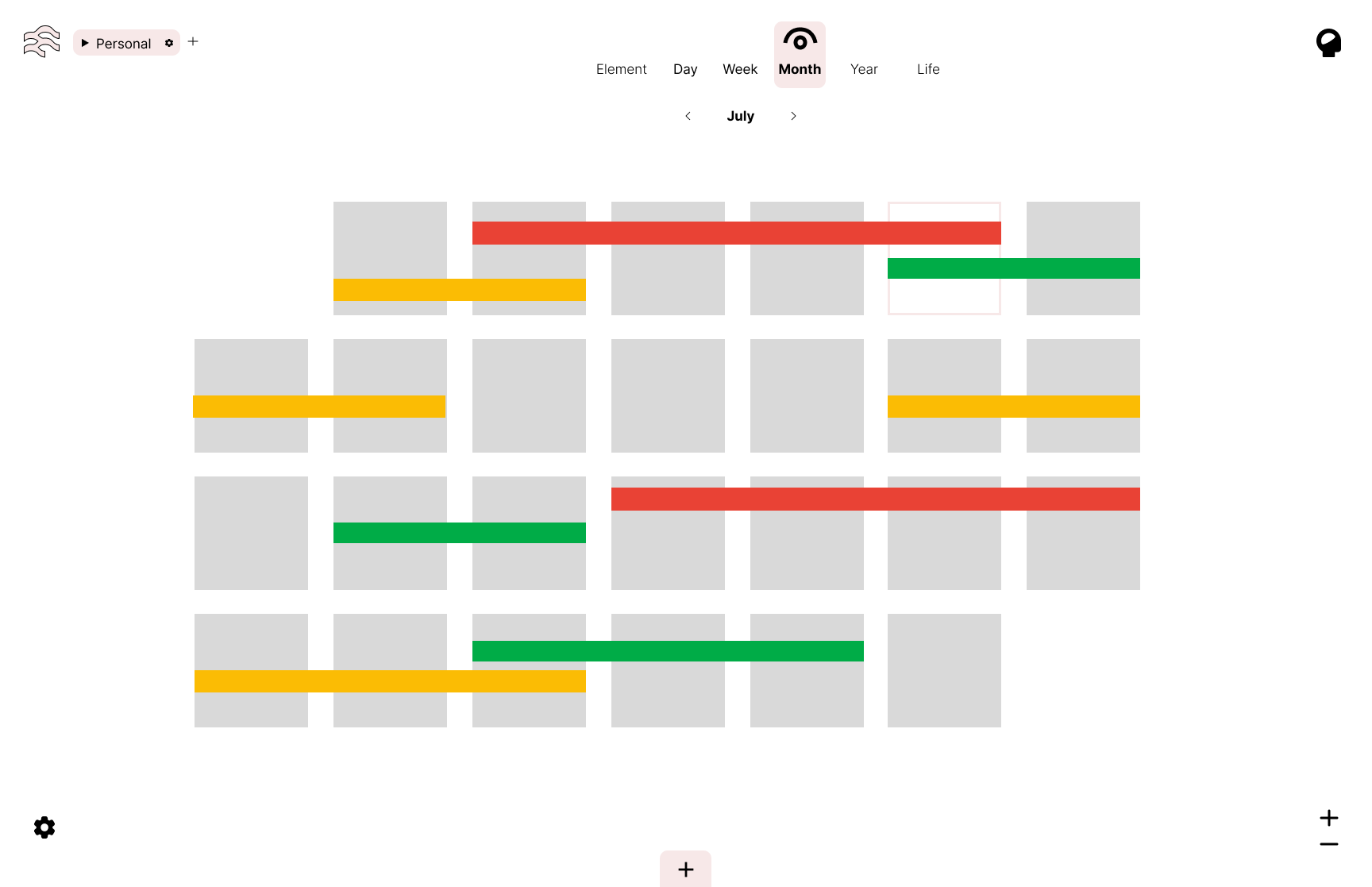
  • Links everything. Memory, calendar, files, conversations. True knowledge graph.

image
  • Autonomy Engine (AI Native)
  • AI builds, suggests, prioritizes, and auto-updates based on context, behavior, and your goals.

  • No app store, just components
  • Build what you need. Shareable blueprints.

image
  • Theme & layout personalization
  • Light/dark, order, style โ€” your OS reflects you.

๐ŸŒ Optional Differentiators

  • Works across all devices โ€” start something on Mac, continue on phone.
  • No traditional UI library: 2D/3D hybrid spatial canvas.
  • Future-proof: AI-first architecture, not AI-as-feature.
  • Can be used in minimal mode (just input + reminder) or God-mode (full space control).

๐Ÿงญ User Journey

Ideas

Last modified by STEPHANE BOGHOSSIAN โ‹… 6 months ago

Ideas

Last modified by STEPHANE BOGHOSSIAN โ‹… 6 months ago

image
  1. Launch โ†’ Welcome flow: Choose core Spaces, input style (text/voice), and design preferences.
  2. Interact โ†’ Start with one input: โ€œRemind me to...โ€ โ†’ OS creates reminder component inside active Space.
  3. Flow โ†’ Add Inbox + Note + Clock. OS suggests layout.
  4. Context switch? No. Persona switch. You go from Work to Travel โ†’ Entire UI changes (inputs, filters, AI prompts).
  5. Evolve โ†’ AI observes behavior, suggests shortcuts, builds routines, connects data.
  6. Create โ†’ Add components. Share with others. Clone Space templates.
  7. Live inside it. This OS becomes the extension of your brain.

Resources

GoodnotesGoodnotes

IdeasIdeas

Lovable - Build for the web 20x fasterLovable - Build for the web 20x faster

https://frontend-production-1467.up.railway.app/dashboard/projects/4

/pitch

An AI-native OS that adapts to your thoughts and flow seamlessly.

/tldr

- vibemind.space is a new spatial AI-native operating system designed to integrate thoughts, tasks, and tools in real-time, moving away from traditional app-centric interfaces. - Its core features include a canvas-first user experience, modular elements, a unified input bar, and an autonomy engine that adapts to user behavior. - The system emphasizes radical personalization and allows users to create and share personalized spaces without the constraints of conventional operating systems.

Persona

1. Remote Workers 2. Students 3. Creative Professionals

Evaluating Idea

๐Ÿ“› Title The "AI-native operating system" software platform ๐Ÿท๏ธ Tags ๐Ÿ‘ฅ Team: Software developers, AI specialists ๐ŸŽ“ Domain Expertise Required: Software development, AI, UX design ๐Ÿ“ Scale: Medium ๐Ÿ“Š Venture Scale: High ๐ŸŒ Market: Digital productivity tools ๐ŸŒ Global Potential: Yes โฑ Timing: Immediate ๐Ÿงพ Regulatory Tailwind: Low ๐Ÿ“ˆ Emerging Trend: AI integration, spatial computing โœจ Highlights: Innovative interface, user-centric design, adaptable ๐Ÿš€ Intro Paragraph vibemind.space aims to revolutionize how users interact with their digital workspace by offering an AI-native operating system that adapts to individual needs. Monetization will be driven through a subscription model, targeting users who are seeking a more intuitive and integrated approach to productivity. ๐Ÿ” Search Trend Section Keyword: "AI-native operating system" Volume: 40K Growth: +250% ๐Ÿ“Š Opportunity Scores Opportunity: 9/10 Problem: 8/10 Feasibility: 7/10 Why Now: 9/10 ๐Ÿ’ต Business Fit (Scorecard) Category Answer ๐Ÿ’ฐ Revenue Potential $10Mโ€“$50M ARR ๐Ÿ”ง Execution Difficulty 6/10 โ€“ Moderate complexity ๐Ÿš€ Go-To-Market 8/10 โ€“ Organic growth and community-driven โฑ Why Now? The rise of remote work and digital collaboration has increased the demand for integrated productivity solutions. Users are frustrated with traditional OS models that isolate functionalities and impede fluid workflows. โœ… Proof & Signals Keyword trends show a spike in interest for AI-driven solutions. Discussions on platforms like Reddit indicate a demand for more cohesive digital workspaces, and industry leaders are pivoting towards integrated systems. ๐Ÿงฉ The Market Gap Current operating systems force users to navigate through multiple applications, causing friction and inefficiencies. Thereโ€™s a clear demand for a system that seamlessly integrates tasks, thoughts, and tools. ๐ŸŽฏ Target Persona Demographics: Tech-savvy individuals, freelancers, remote teams Habits: Frequent use of productivity tools, seeking efficiency Pain: Frustration with app-switching and siloed functionalities Discovery: Social media, tech blogs, word-of-mouth Emotional vs rational drivers: Desire for control and efficiency ๐Ÿ’ก Solution The Idea: A spatial AI-native operating system that adapts to user needs in real-time, providing a seamless flow of tasks and tools. How It Works: Users create spaces for different contexts (work, travel), adding components like calendars and notes. They interact via voice or text, and the system evolves based on usage patterns. Go-To-Market Strategy: Start with a waitlist and leverage SEO, tech forums, and social media for awareness. Business Model: - Subscription Startup Costs: Label: Medium Break down: Product development, team recruitment, go-to-market strategies, legal compliance ๐Ÿ†š Competition & Differentiation Competitors: Notion, Microsoft OneNote, Trello Rate intensity: Medium Differentiators: AI-native interface, spatial design, modular components โš ๏ธ Execution & Risk Time to market: Medium Risk areas: Technical (building AI), User adoption, Distribution channels Critical assumptions: Users are ready to transition to a new OS model. ๐Ÿ’ฐ Monetization Potential Rate: High Why: Strong user retention potential due to personalization and integration capabilities. ๐Ÿง  Founder Fit The idea aligns with the founder's expertise in software development and UX design, making them well-suited to lead this venture. ๐Ÿงญ Exit Strategy & Growth Vision Likely exits: Acquisition by a major tech firm or IPO. Potential acquirers: Google, Microsoft, or productivity-focused startups. 3โ€“5 year vision: Expand offerings to include vertical-specific tools and global reach. ๐Ÿ“ˆ Execution Plan 1. Launch: Build hype through a waitlist. 2. Acquisition: Utilize SEO and community engagement. 3. Conversion: Introduce a freemium model to onboard users. 4. Scale: Implement referral programs to drive growth. 5. Milestone: Achieve 5,000 active users within the first year. ๐Ÿ›๏ธ Offer Breakdown ๐Ÿงช Lead Magnet โ€“ Free access to a basic version of the OS ๐Ÿ’ฌ Frontend Offer โ€“ Low-ticket subscription ($5/month) ๐Ÿ“˜ Core Offer โ€“ Main product subscription ($15/month) ๐Ÿง  Backend Offer โ€“ High-ticket consulting for enterprise solutions ๐Ÿ“ฆ Categorization Field Value Type SaaS Market B2B / B2C Target Audience Remote workers, teams Main Competitor Notion Trend Summary AI-native OS is positioned to disrupt traditional productivity tools. ๐Ÿง‘โ€๐Ÿคโ€๐Ÿง‘ Community Signals Platform Detail Score Reddit 5 relevant subs โ€ข 1M+ members 8/10 Facebook 4 groups โ€ข 200K+ members 7/10 YouTube 10 relevant creators 7/10 ๐Ÿ”Ž Top Keywords Type Keyword Volume Competition Fastest Growing "AI productivity tools" 70K LOW Highest Volume "spatial operating system" 30K MED ๐Ÿง  Framework Fit (4 Models) The Value Equation Score: Excellent Market Matrix Quadrant: Category King A.C.P. Audience: 8/10 Community: 8/10 Product: 9/10 The Value Ladder Diagram: Bait โ†’ Free trial โ†’ Subscription โ†’ Enterprise consulting โ“ Quick Answers (FAQ) What problem does this solve? It eliminates the friction of switching between apps by providing a unified workspace. How big is the market? The productivity software market is estimated to exceed $40 billion. Whatโ€™s the monetization plan? Primarily through subscriptions, with potential for enterprise consulting. Who are the competitors? Notion, Trello, Microsoft OneNote. How hard is this to build? Moderate complexity due to AI integration. ๐Ÿ“ˆ Idea Scorecard (Optional) Factor Score Market Size 9 Trendiness 8 Competitive Intensity 6 Time to Market 7 Monetization Potential 9 Founder Fit 8 Execution Feasibility 7 Differentiation 8 Total (out of 40) 62 ๐Ÿงพ Notes & Final Thoughts This is a "now or never" bet due to increasing demand for integrated productivity solutions. The tech landscape is shifting towards AI-native interfaces, making this an urgent opportunity. Potential fragility lies in user adoption, as transitioning from traditional OSs can be challenging.

User Journey

# User Journey Map for vibemind.space ## 1. Awareness - User Trigger: Encountering an article or social media post discussing inefficiencies of traditional operating systems. - User Action: Clicking on the link to learn more about vibemind.space. - UI/UX Touchpoint: Landing page with clear messaging about the product's unique features. - Emotional State: Curiosity mixed with skepticism about a new operating system. ## 2. Onboarding - User Trigger: Signing up for the alpha version after being intrigued by the concept of a spatial AI-native OS. - User Action: Completing the registration process. - UI/UX Touchpoint: Intuitive onboarding wizard that guides users through the setup. - Emotional State: Hopeful and excited, yet slightly overwhelmed by new possibilities. ## 3. First Win - User Trigger: Successfully creating their first "Space" (e.g., Work). - User Action: Adding components like Calendar and Notes. - UI/UX Touchpoint: Visual feedback showing the creation of the Space and components. - Emotional State: Achievement and satisfaction from easily building a personalized workspace. ### Critical Moment: Users feel delighted when they see their unique workspace come together seamlessly, reinforcing their initial excitement. ## 4. Deep Engagement - User Trigger: Exploring advanced features like the Autonomy Engine and Unified Input Bar. - User Action: Regularly interacting with the OS using voice commands and text. - UI/UX Touchpoint: Dynamic interface changes based on user input, showcasing adaptability. - Emotional State: Empowered and engaged as they realize the system adapts to their needs. ### Retention Hook: Notifications prompting users to explore new features based on their usage patterns. ## 5. Retention - User Trigger: Revisiting the platform after a week of sporadic use. - User Action: Engaging with new features or reminders tailored by the AI. - UI/UX Touchpoint: Personalized dashboard highlighting recent activities and unused features. - Emotional State: Reinvigorated interest, feeling that the system is working for them. ### Habit Loop: Encouraging users to set daily reminders or check-ins with the OS, creating a routine. ## 6. Advocacy - User Trigger: Experiencing significant productivity improvements and workflow enhancements. - User Action: Sharing their positive experience on social media or recommending it to colleagues. - UI/UX Touchpoint: Easy sharing options integrated into the platform. - Emotional State: Pride and enthusiasm, feeling like a part of a community. ### Retention Hook: Offering incentives or rewards for referrals to encourage sharing experiences. ## Summary of Emotional Arc 1. Curiosity & Skepticism: Initial interest in exploring a new OS. 2. Hopeful Excitement: Signing up and setting up the platform. 3. Achievement & Satisfaction: Successfully creating personalized workspaces. 4. Empowerment & Engagement: Discovering and using advanced features. 5. Pride & Advocacy: Sharing positive experiences, feeling part of a community. This journey emphasizes critical moments that create delight and potential drop-offs, while integrating retention hooks and habit loops to ensure sustained engagement.

stephane.bio

Made with Notion, Published on Super - 2026 ยฉ Stephane Boghossian

LinkedInInstagramMediumGitHubXBehanceDiscordPinterest